

to-do list app.
Organize your work and life with Vikunja
Simplify life for both you and your team with the Vikunja to-do list app.
Stay organized
Organize all of your tasks in projects. Create subprojects organize everything hierarchical and keep related stuff grouped together.
Collaborate with peers
Vikunja lets you easily share a project with another user or a whole team! Assignments show who’s working on what.
Use it how you need it
You can view your tasks in the classic list view – or in a Gantt Chart, or Table view, or Kanban Board. Whatever you need!
Built for speed
Vikunja is built with speed in mind – every interaction takes less than 100ms. No more loading spinners.
Because a productive tool should not get in your way.
Tasks
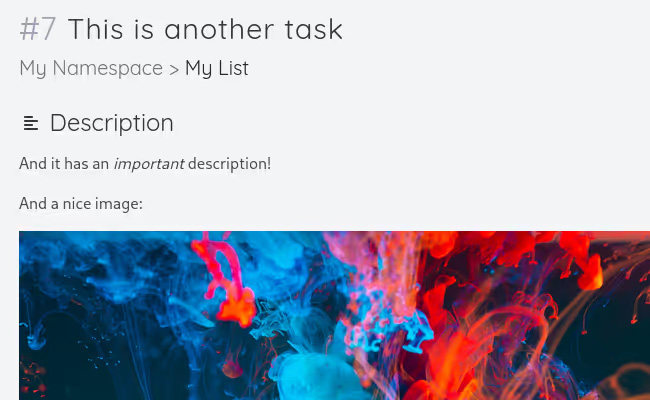
Tasks are not only simple tasks. You can let Vikunja remind you of tasks when they’re due. Never miss an important deadline again!
Remember that thing you have to do every week but can’t get the hang on? You can set tasks to repeat in a time interval, letting Vikunja remind you of important weekly or monthly tasks.
Vikunja also lets you split a task in multiple subtasks for easy progress tracking and more satisfaction when crossing them off the list!
View your tasks in multiple views
Vikunja allows you to view tasks in four different views – use whatever works best for you.
List
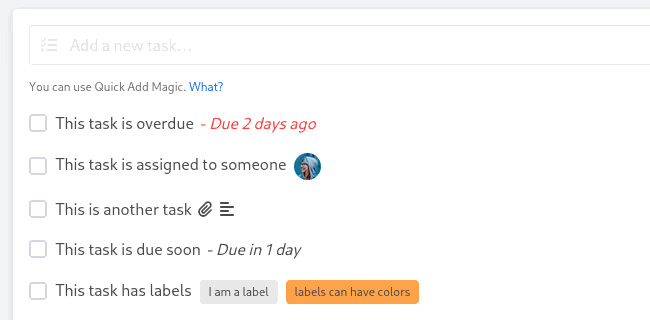
The list view is similar to classic to-do list in a lot of ways. It shows you all tasks in a list underneath each other, enriched with all other task attributes Vikunja has to offer.
Gantt Chart
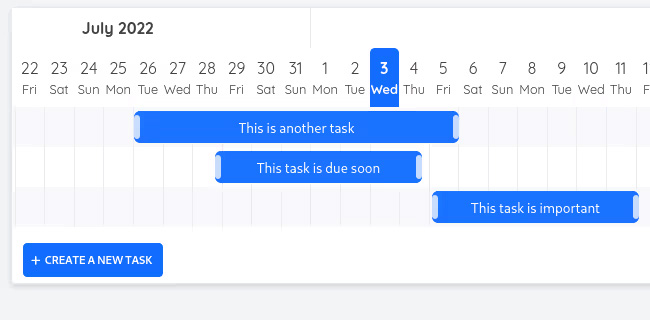
The Gantt Chart is perfect to get a timely overview of all tasks currently in-progress in a project. It allows for easy planning of deadlines and due dates.
Kanban board
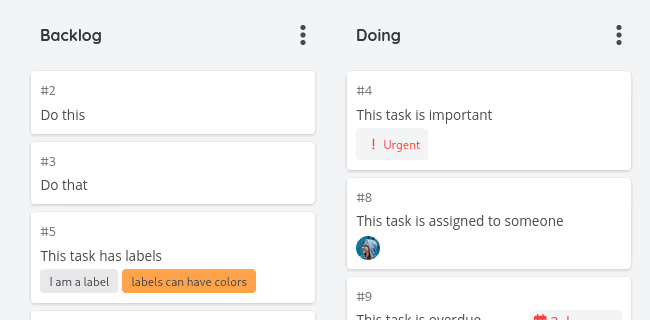
Vikunja lets you organize and prioritize your tasks in a kanban board. Quickly get an overview of the status of things – especially when collaborating with multiple people on a project.
Each card on a board represents a task in Vikunja. All tasks can be added through the usual ways and will then show up in the kanban board where they can be easily rearranged and reordered.
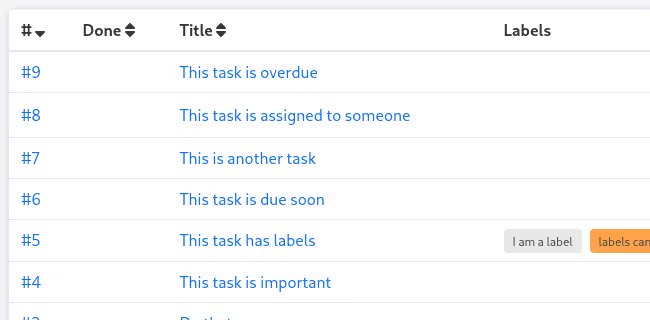
Table
With the table view, you can see all task details of all your tasks. And you can even change what task attributes should be visible!